
D.S.B Drums. Sample. Bass.
Nine studio effects and a set of mixing tools for the Akai MPC Sample. Installed from a web page in about fifteen minutes. No coding. No terminal.
v0.8.0FreeHardware tested 18 Nov 2026
Three rules
The effects
Nine in the insert menu. Each one has its own panel on the Sample's screen.
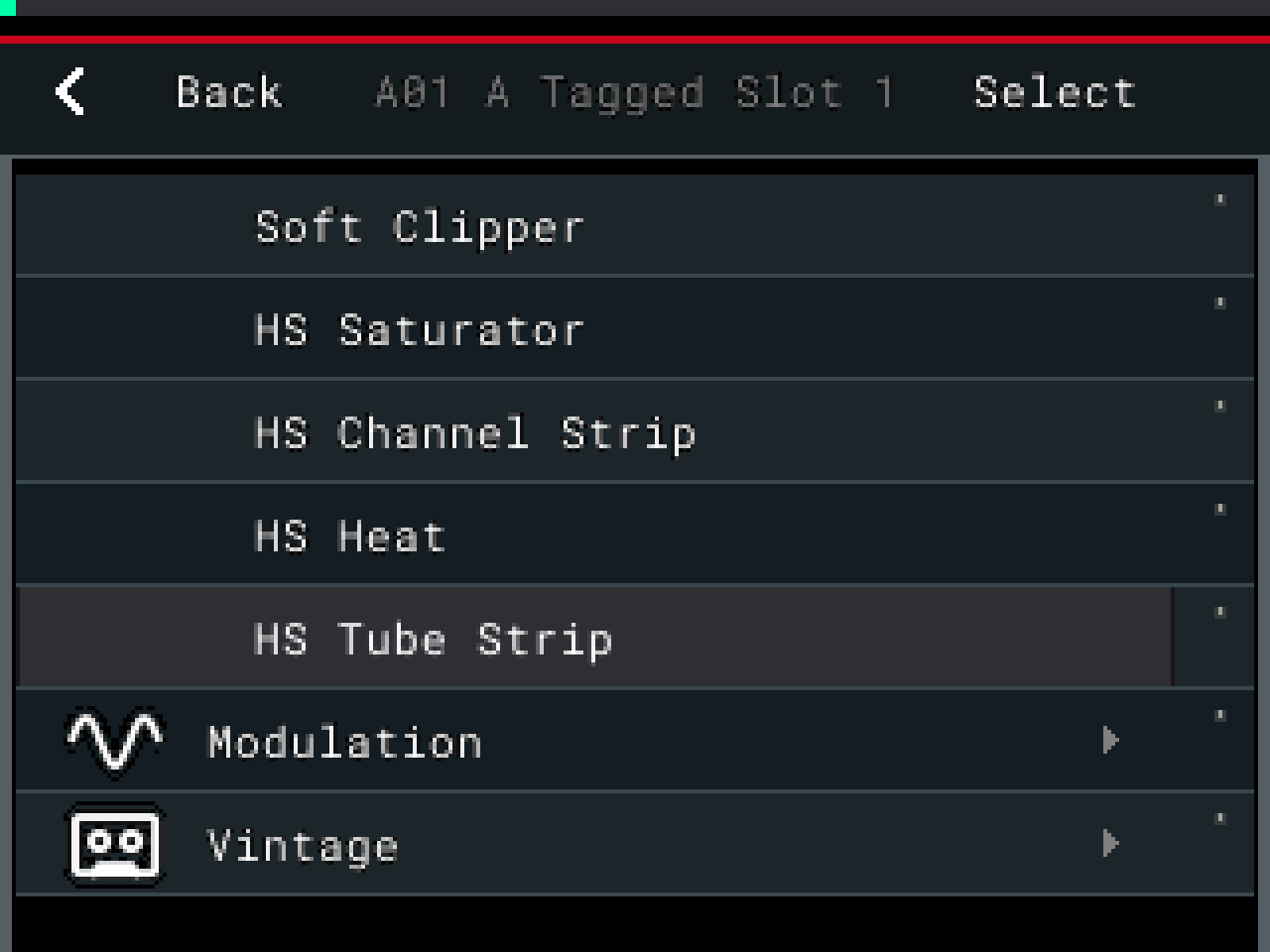
In the insert menu
Where they liveThe HS effects sit in the Sample's own insert list, beside the stock ones.
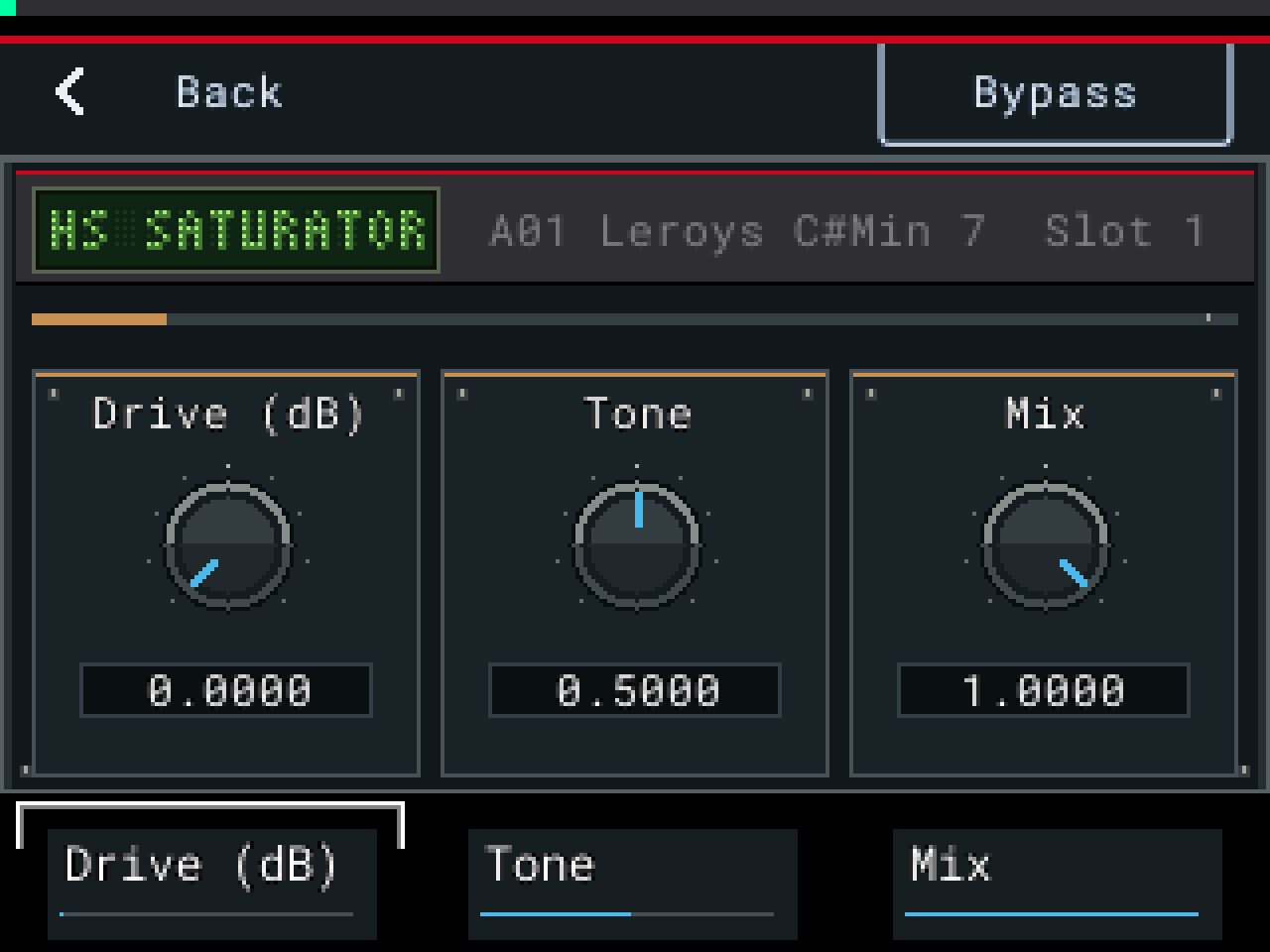
HS Saturator
HarmonicSaturation for drums and bass.
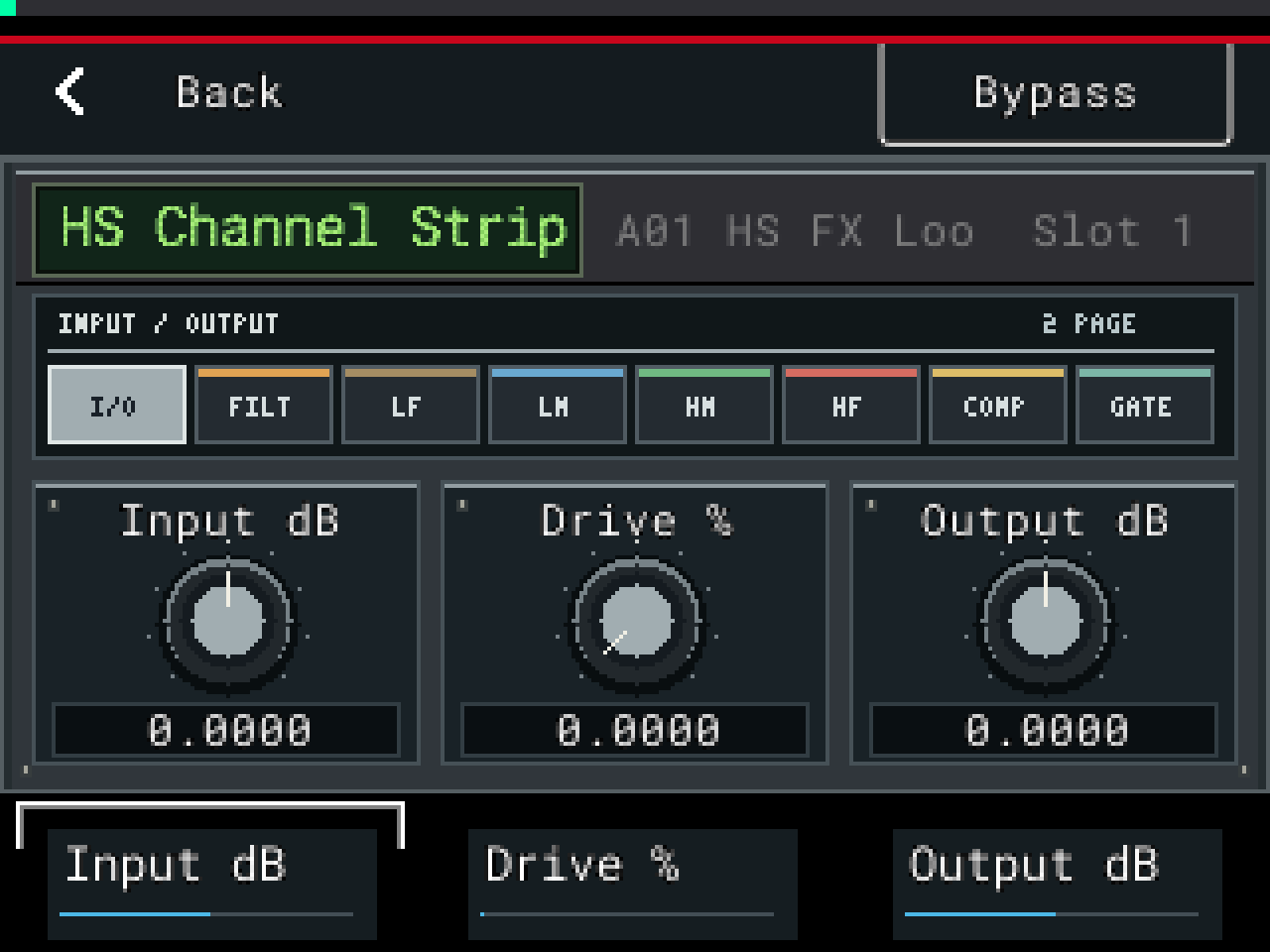
HS Channel Strip
HarmonicA console-style channel. Filters, 4-band EQ, compressor, gate and a de-esser page.
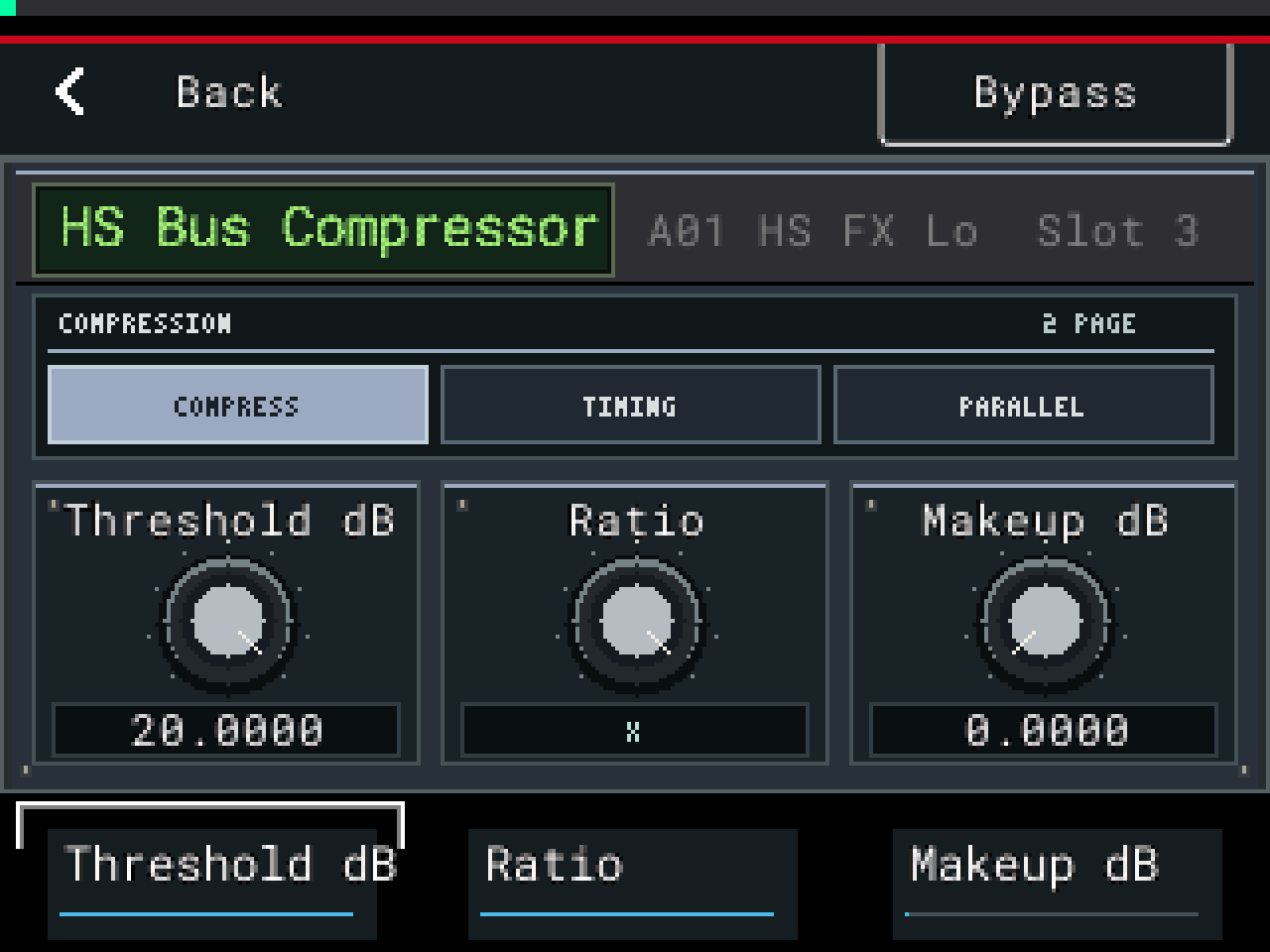
HS Bus Compressor
DynamicsBus compressor with a sidechain high-pass.
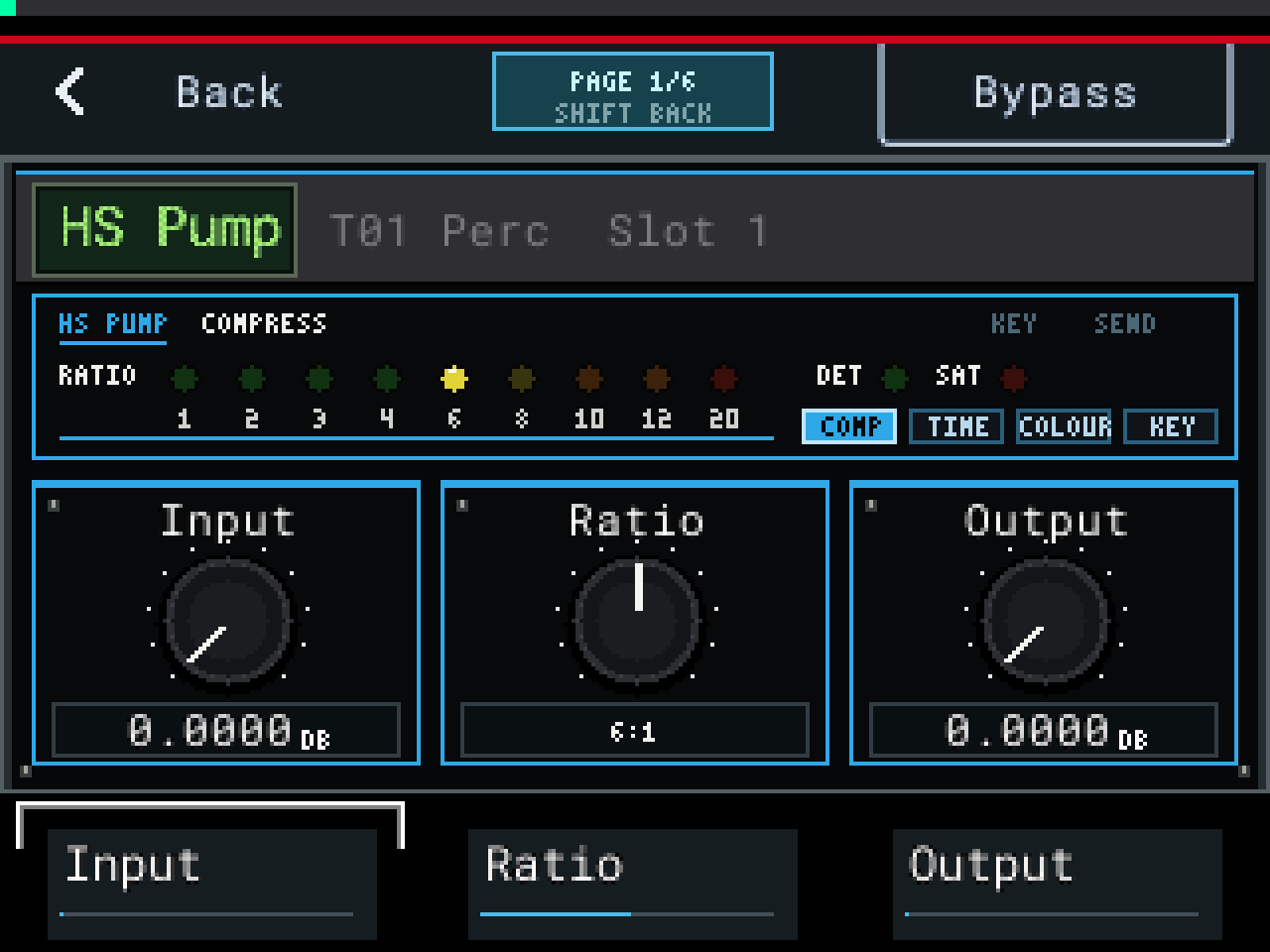
HS Pump
DynamicsStepped feedback compressor, 1:1 to 20:1. Opto release, attack modifier and output saturation.
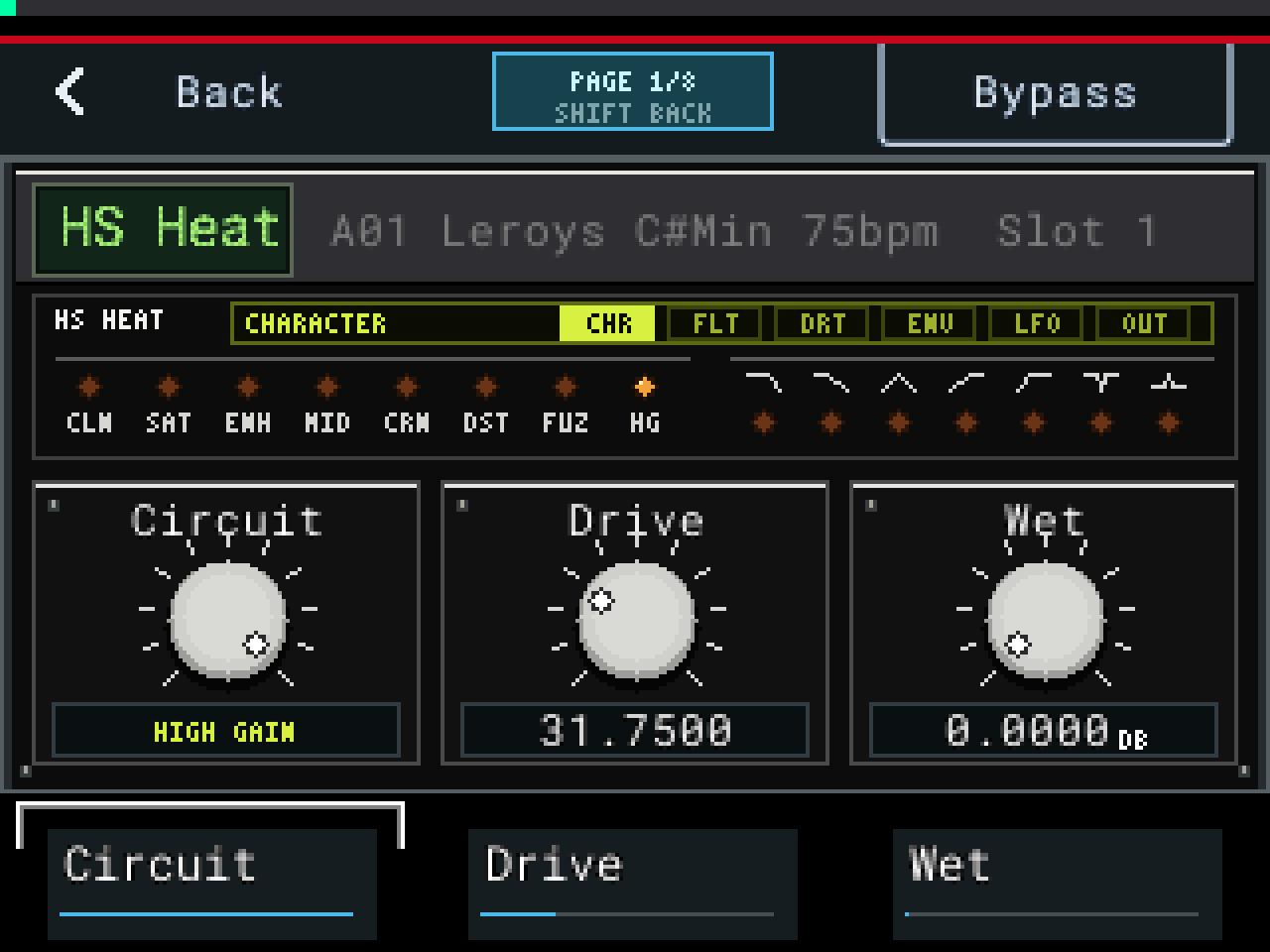
HS Heat
HarmonicEight drive circuits into a multimode filter. Dirt, a 2-band EQ, an envelope follower and an LFO.
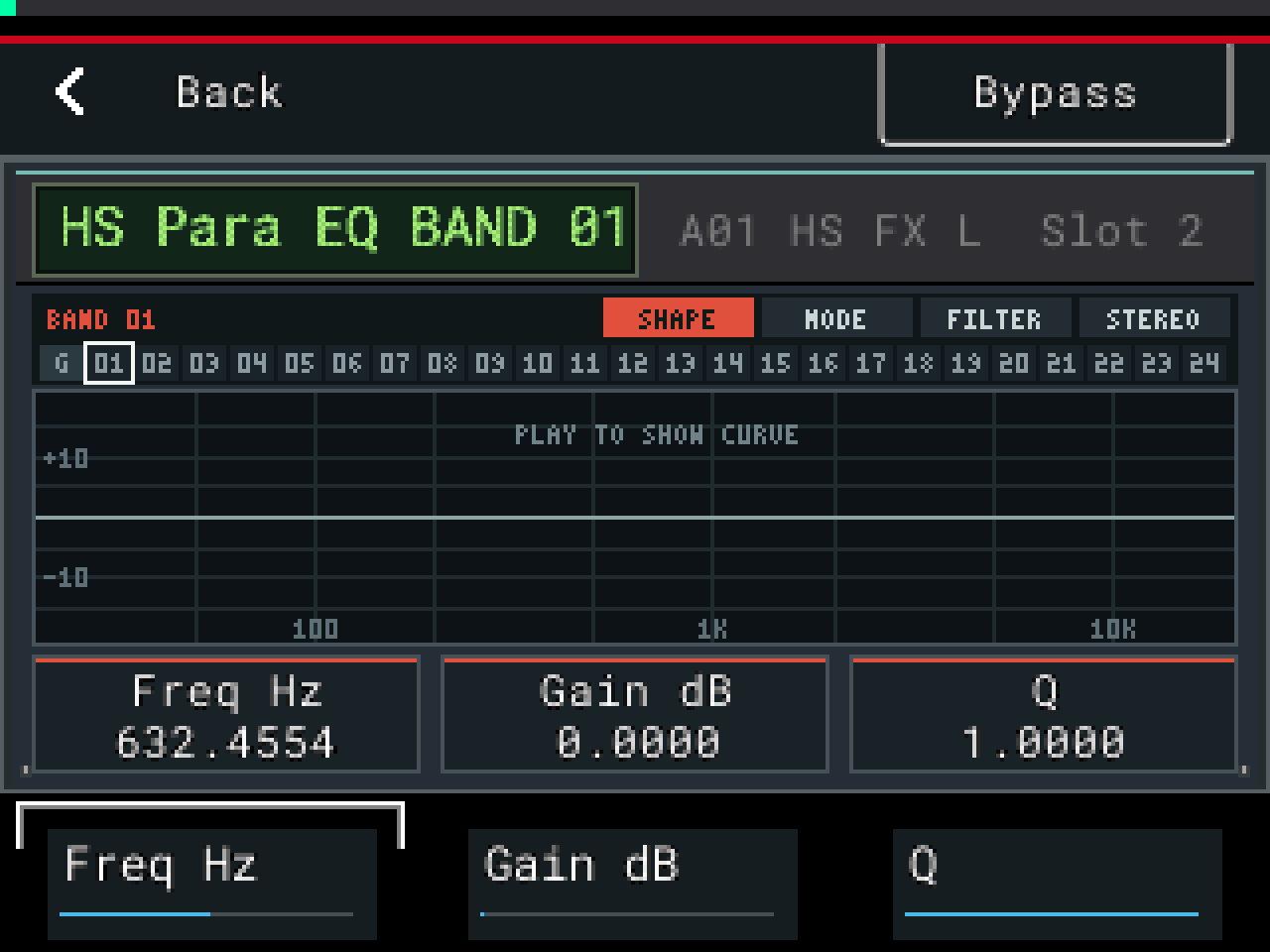
HS Para EQ
EQ / FilterParametric EQ with a live response curve.
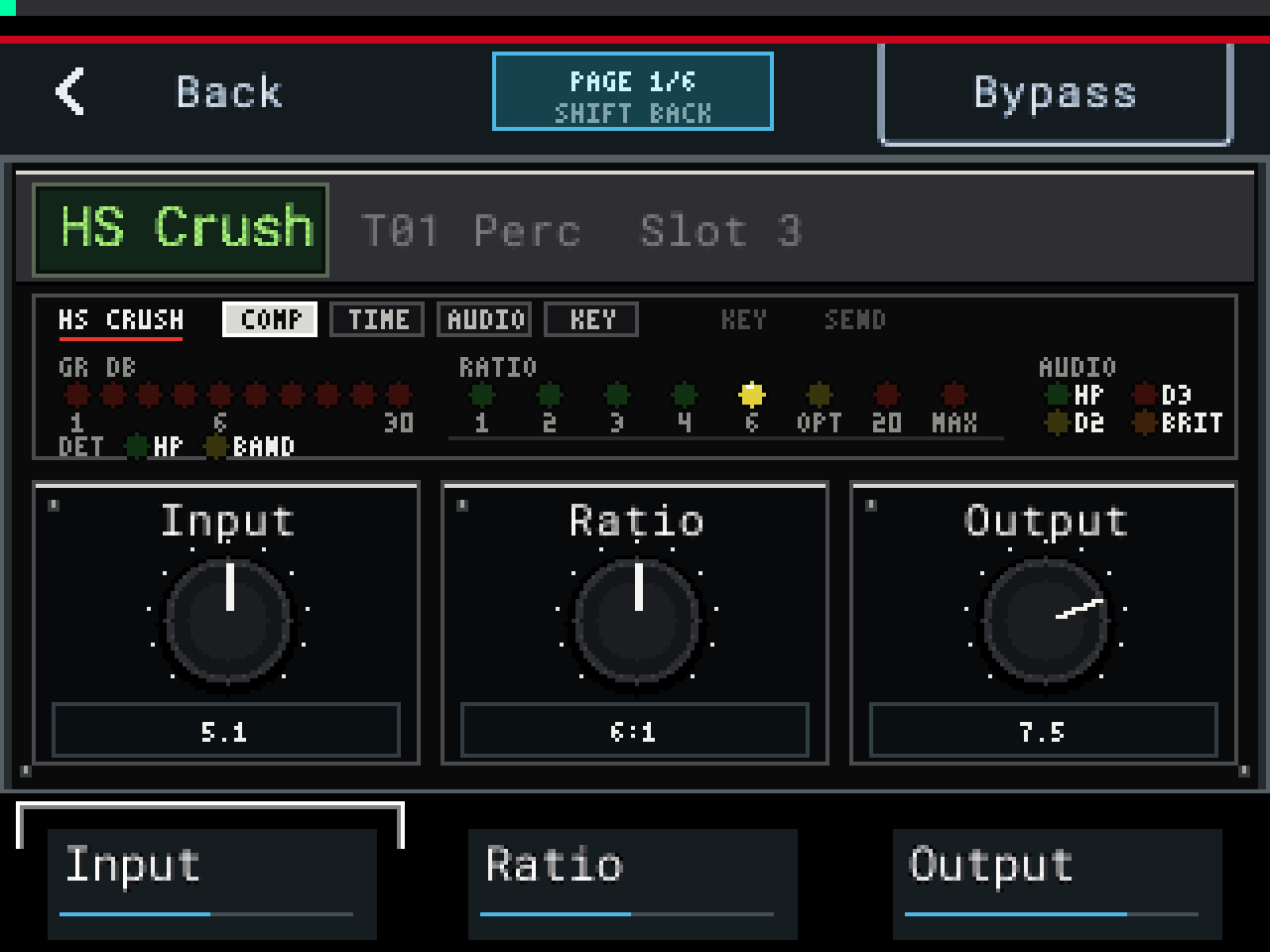
HS Crush
DynamicsCharacter compressor. Eight curves from 1:1 to Max, an Opto mode, two distortion modes, a gain-reduction meter and Auto Gain.
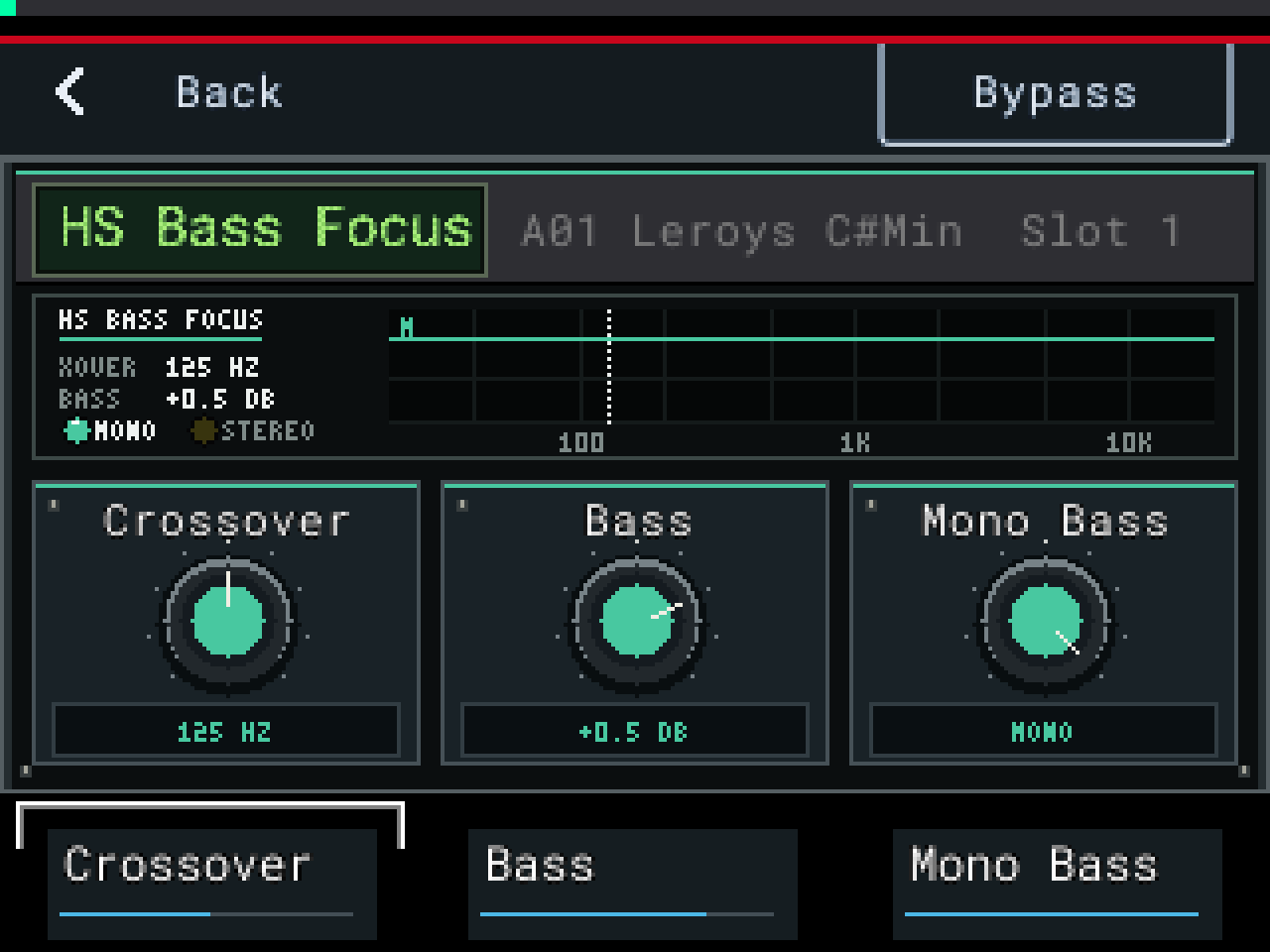
HS Bass Focus
EQ / FilterSplits at a crossover from 30 to 500 Hz, makes the lows mono and sets their level. The highs pass untouched.
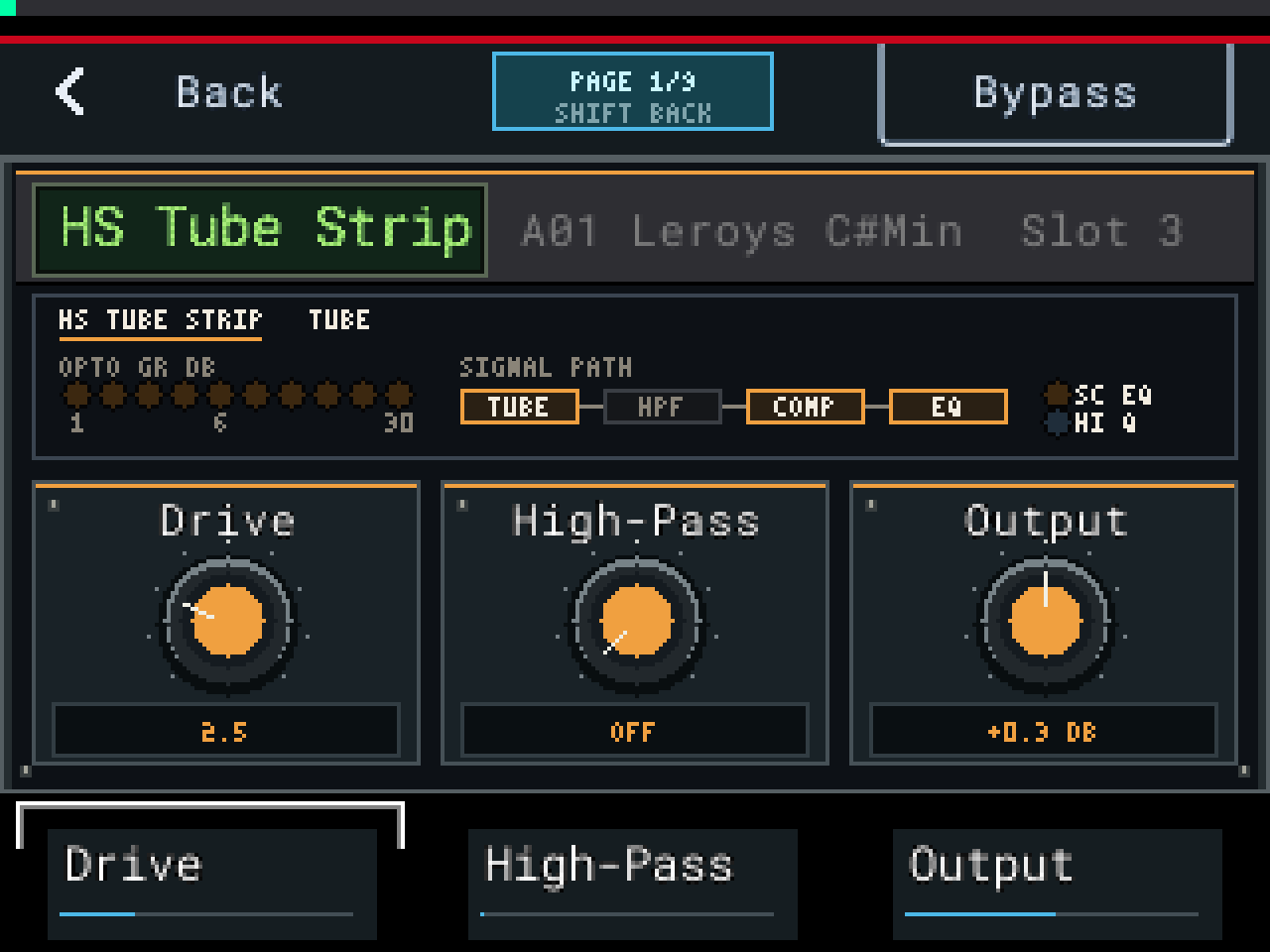
HS Tube Strip
HarmonicTube channel strip. Tube drive, high-pass, an opto compressor and a 4-band EQ, with a side-chain EQ for de-essing.
Two more are installed with no menu row: HS HF Exciter and HS Drive Sat. Projects and track chains that use them still load them. On SampQOL OS 0.3.0 seven of the nine fit the menu. Hide SampQOL's two AIR effects in its settings to get HS Saturator and HS Tube Strip back.
The tools
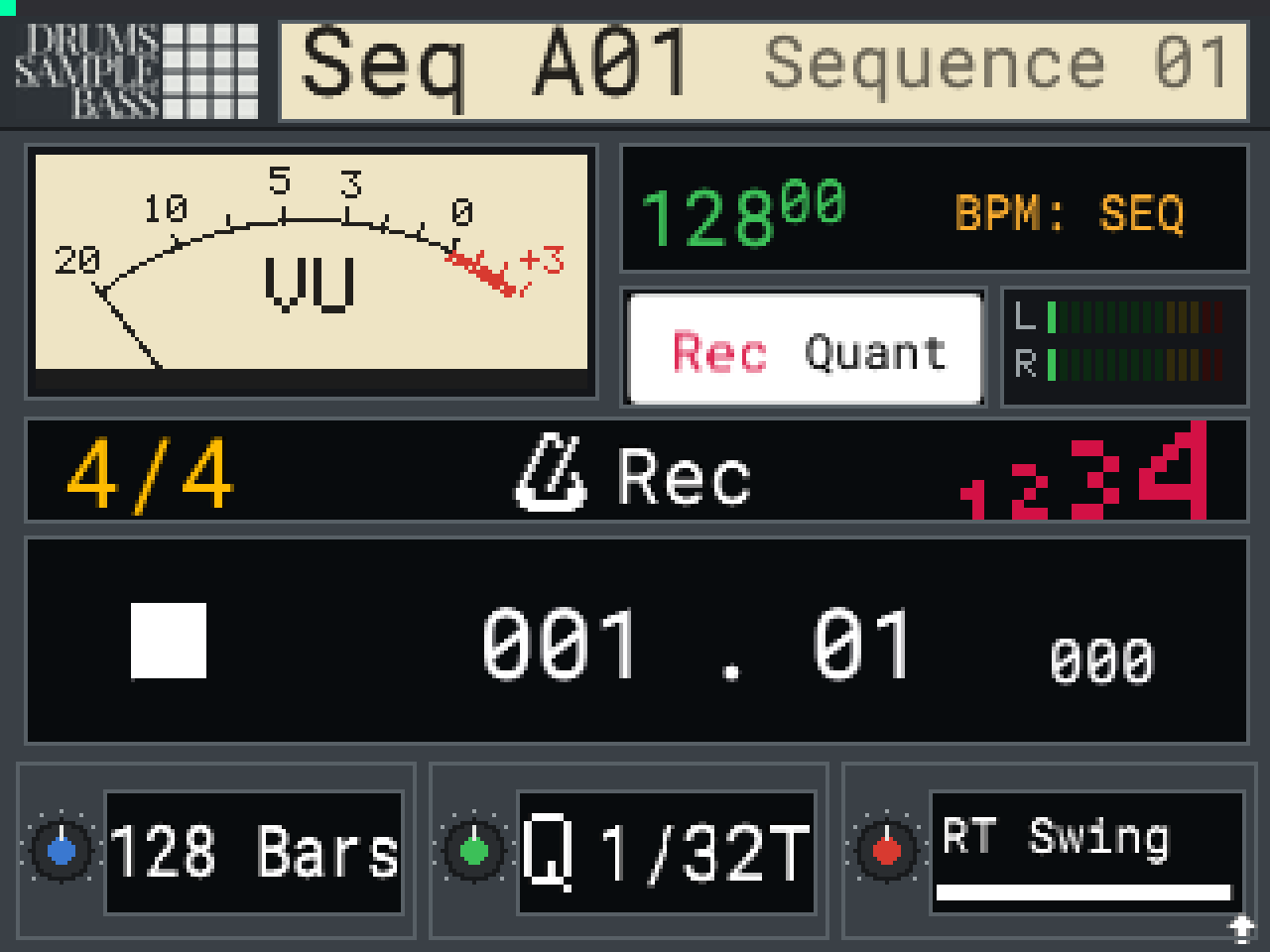
SEQ desk
The SEQ page drawn as a desk. A VU meter and output LEDs move with what's playing. Every stock control works as before.
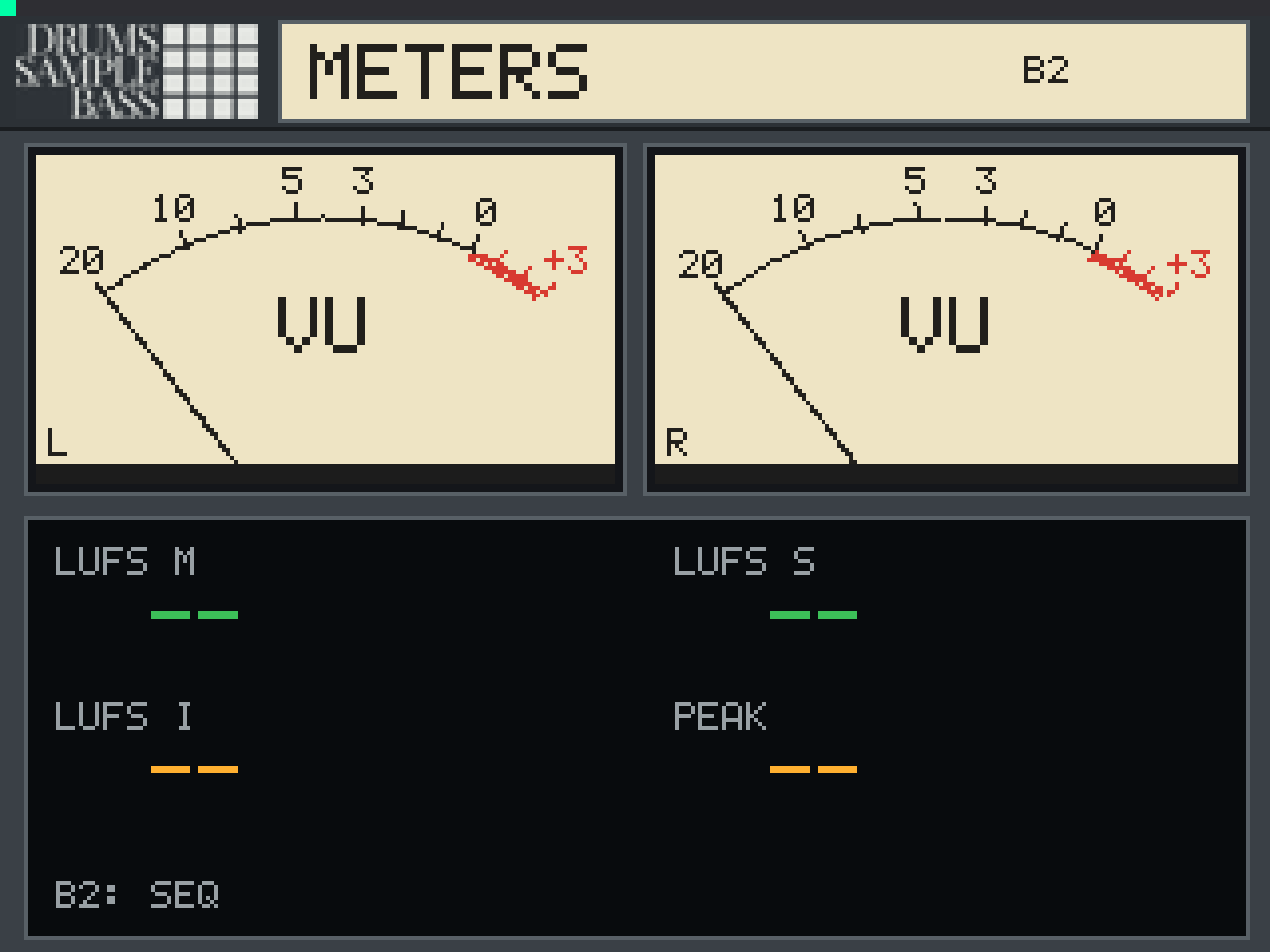
Loudness meters
Press B2 on the SEQ page. Left and right VU, loudness in LUFS (Momentary, Short-term, Integrated) and a peak hold.
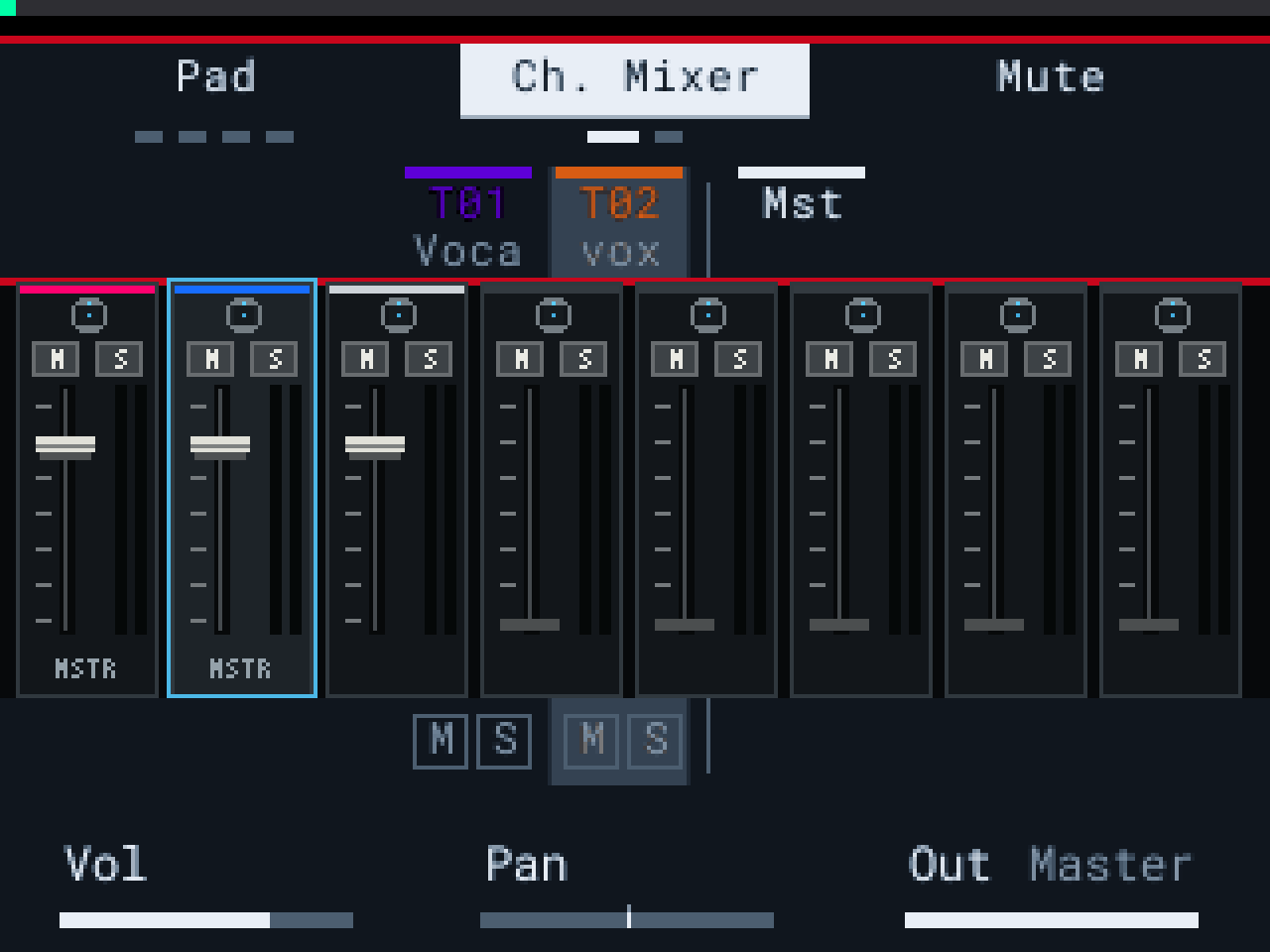
Graphic mixer
The channel and pad mixers as a console. Eight strips a page with pan, mute, solo, a fader and a stereo meter.
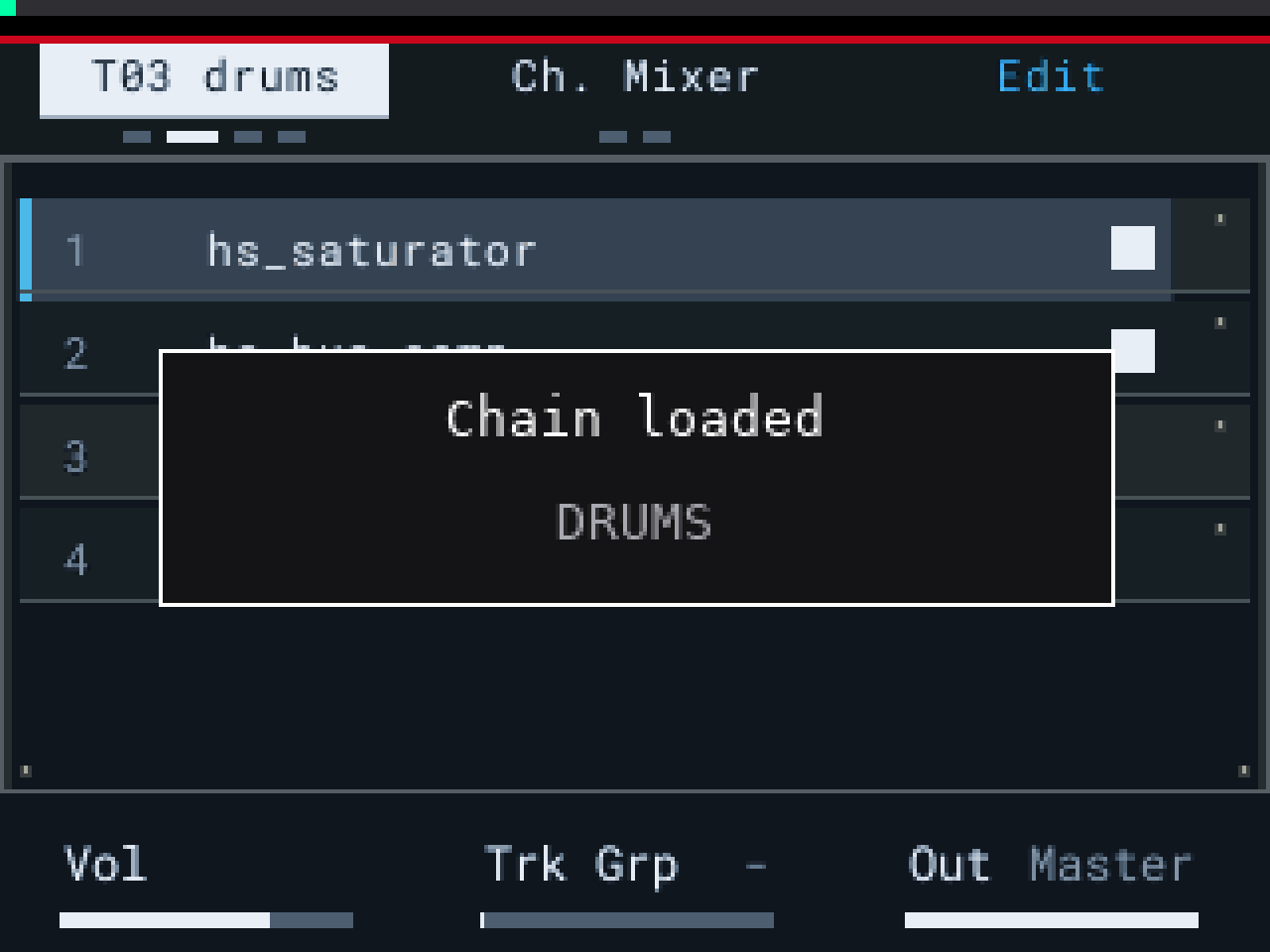
Track chains
Name a track VOX, DRUMS or BASS and its effects chain loads. Save your own by ending a name with #.
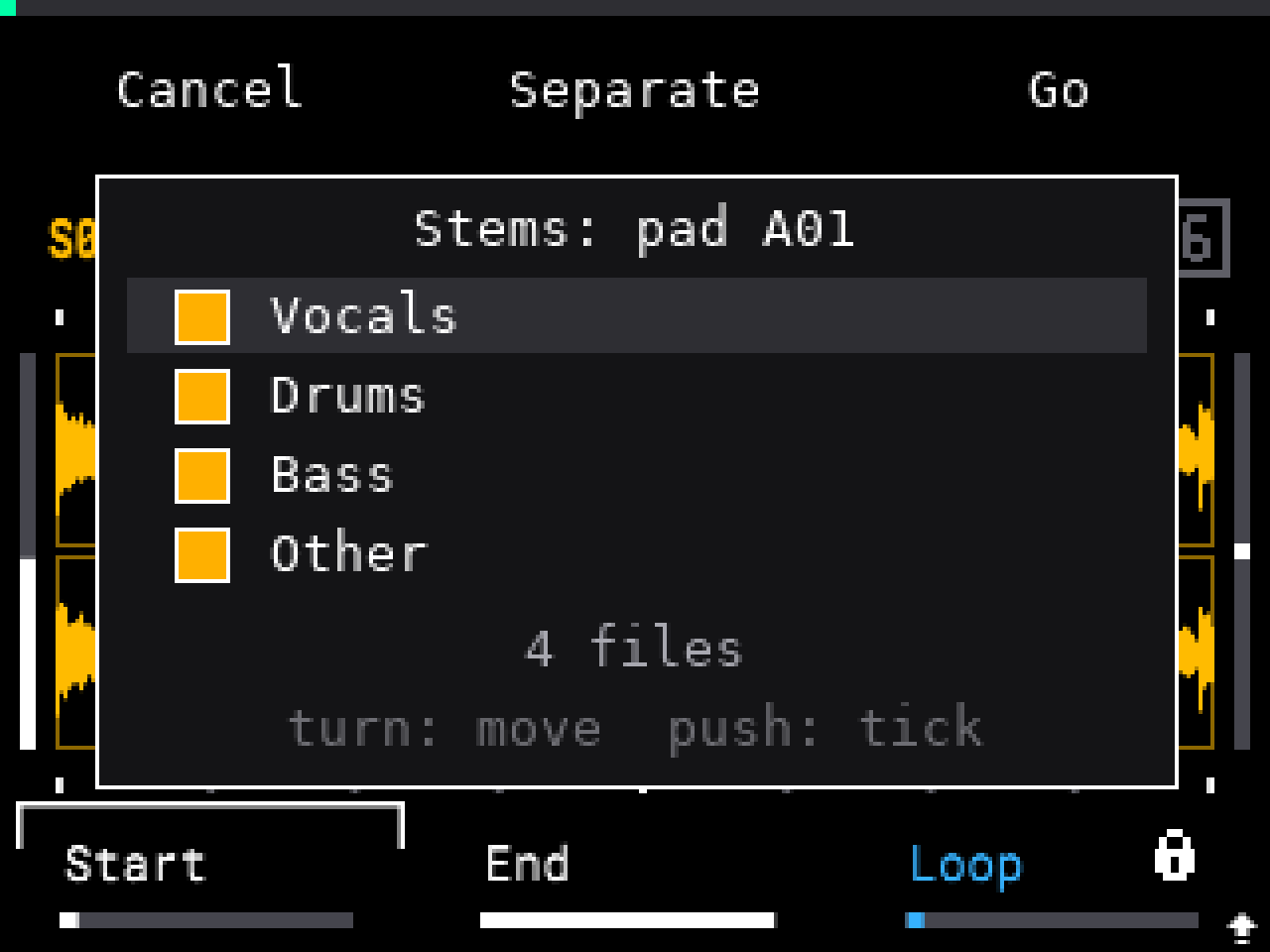
Stems, on the device
Split a sample into Vocals, Drums, Bass and Other with no computer. A pad split loads the stems onto the next empty pads. Optional.
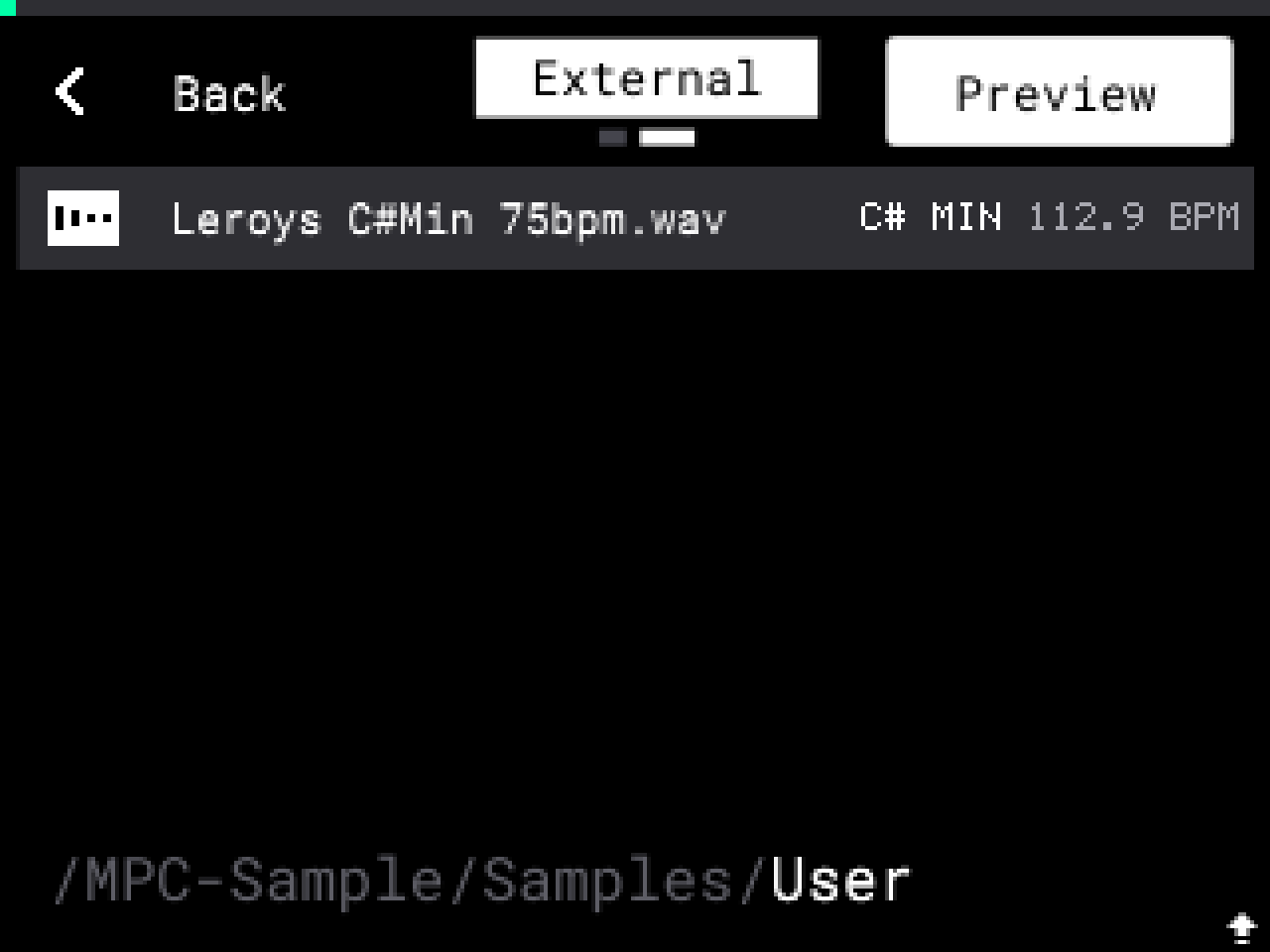
Key and BPM in the browser
Preview a sample and its row shows the key and tempo. WAV and MP3.
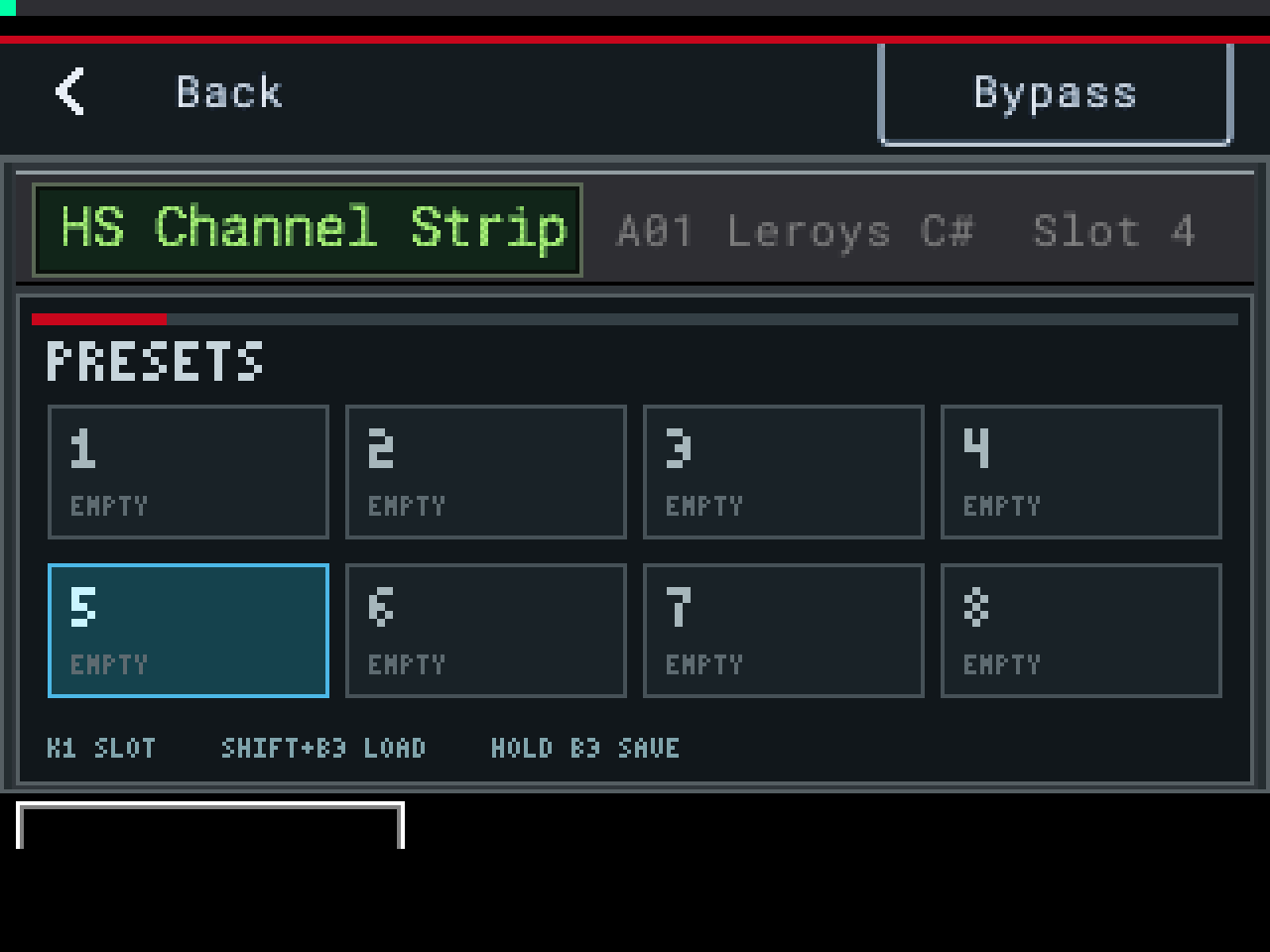
Presets
Eight slots per effect. Hold B2 to open them. They live on the card, so every project has them.
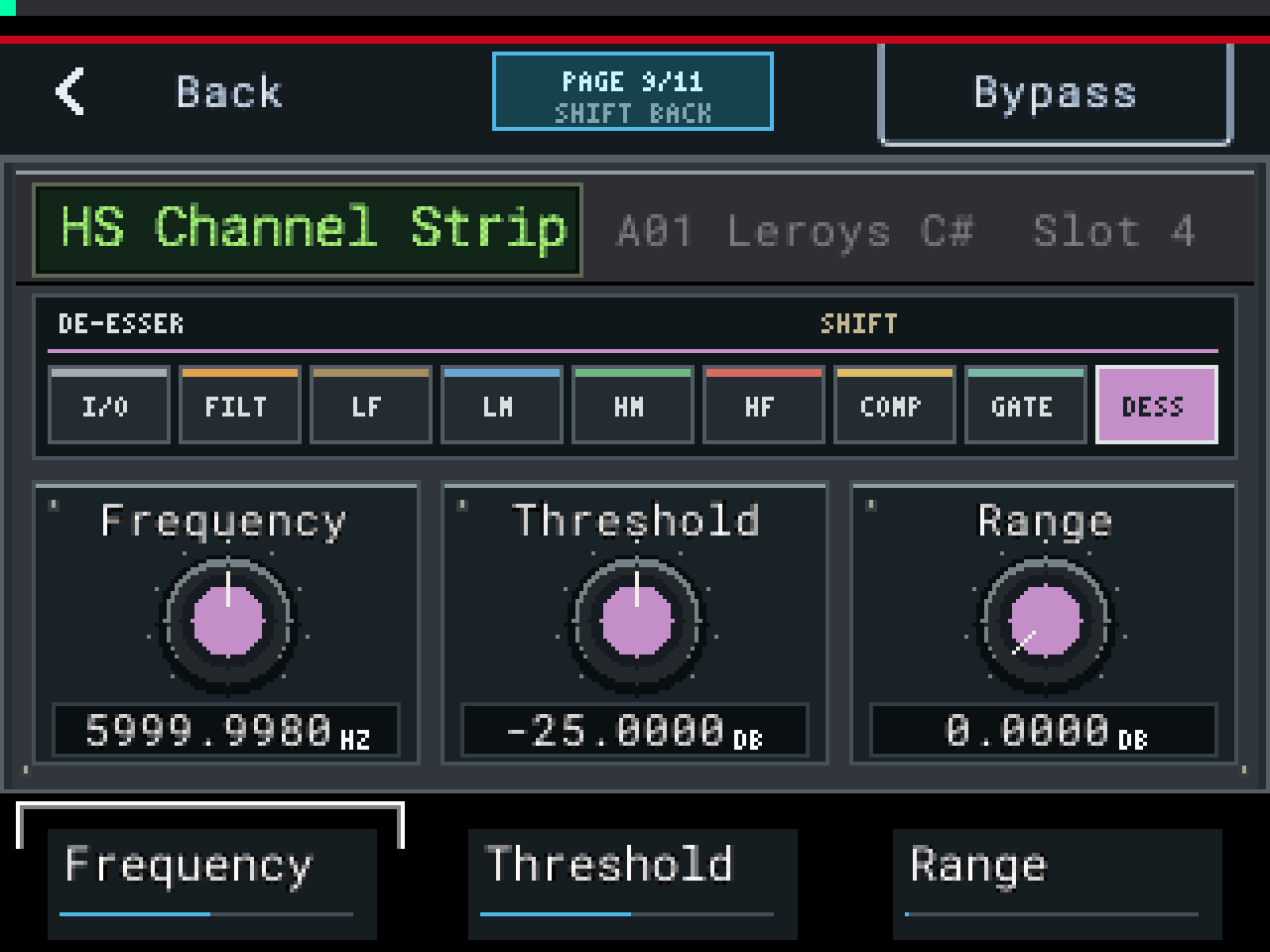
De-esser
A DESS page on HS Channel Strip. Split, wide, or listen to hear only what it removes.
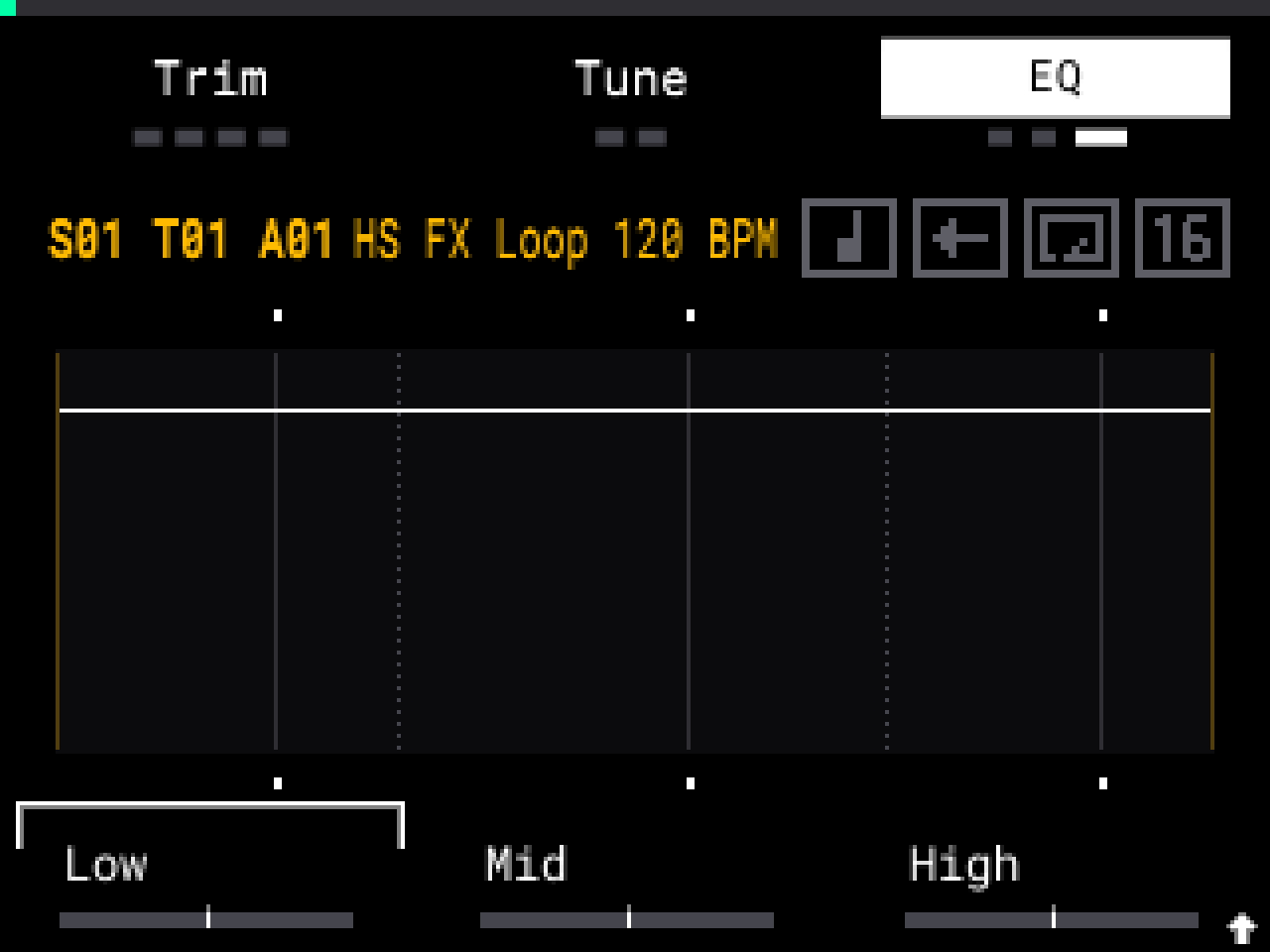
EQ grid
A dB and Hz grid behind the stock EQ curve. Live displays for the stock effects while you turn the knobs.
MOD and the key bus
Send a track to bus A, B, C or D and key a compressor from it. Or point the bus at any knob on seven of the effects and that knob moves with the level.
Warp on import
Load a loop onto a pad and its warp is already on. It plays at the project tempo straight away. One-shots load as normal.
One Bypass, one page label
Every HS effect uses the Bypass button above the screen. Multi-page effects show PAGE 2/3 over the middle button.
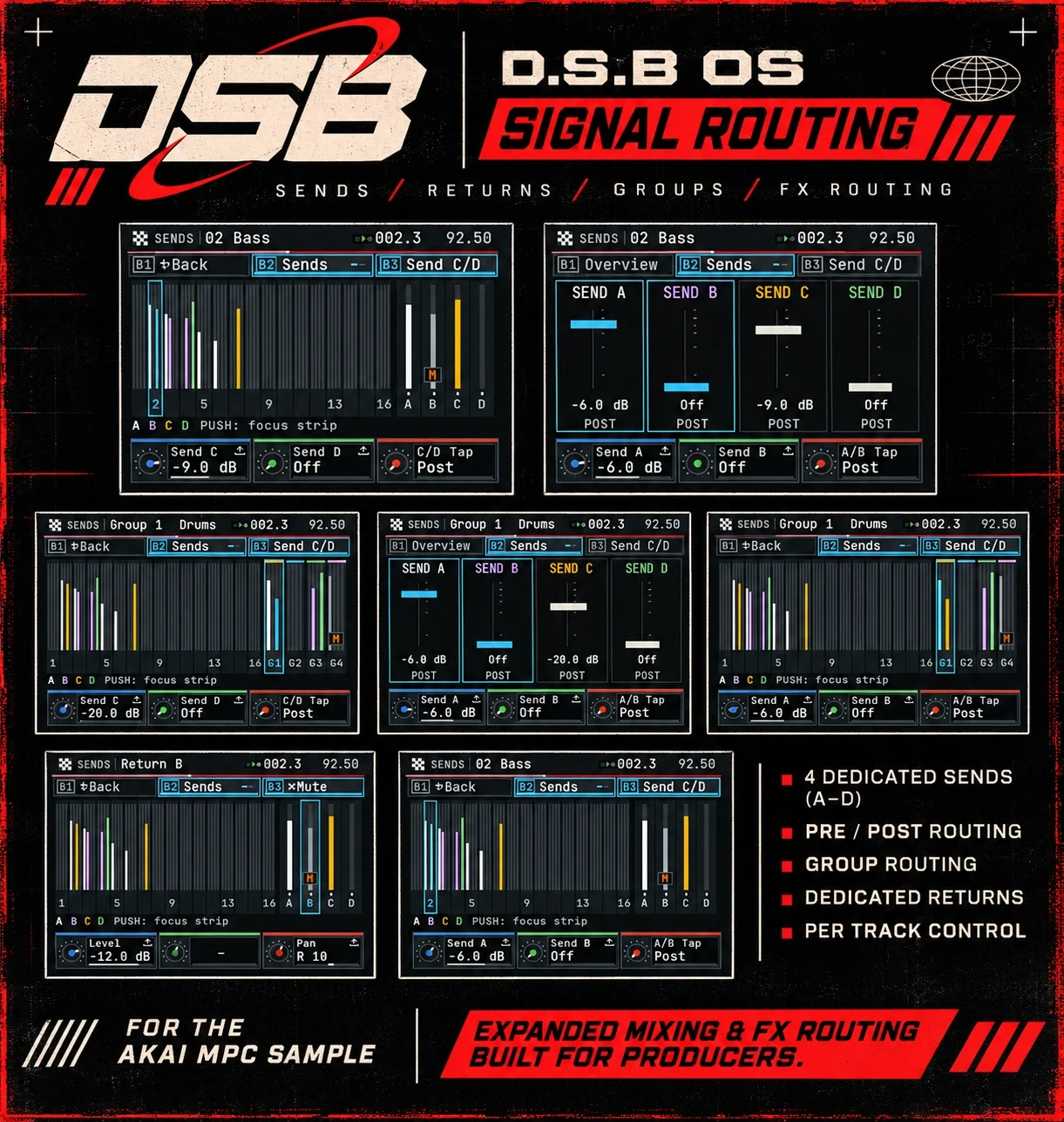
Signal routing
On the bench · not releasedThe next piece. Expanded mixing and effects routing, running on my own unit now.
What you need
Install in six steps
- Put your SD card in your computer. Copy everything on it to a folder on your computer. That's your backup.
- Download SampQOL-OS-v0.3.0.zip from the official SampQOL page. Don't unzip it.
- Open the installer. Drag the zip onto it. Click the download link it gives you, then double-click the file you get. You now have a folder called autorun. Your files never leave your computer.
- Open the SD card. Is there already a folder called autorun on it? Rename it to autorun-old. Nothing there? Skip this step. Your projects and samples stay where they are.
- Drag the new autorun folder onto the SD card. Put it straight on the card, not inside another folder.
- Eject the card. Put it in the MPC. Switch on. When the screen asks, press B1.
Stuck? The step-by-step guide covers formatting, Mac and Windows. The user guide covers every button. To undo it, switch off and take the card out. Want your old setup back? Delete the new autorun folder and rename autorun-old back to autorun.
Free. Stays free.
The code is on GitHub under the MIT licence. If it helped you, shop Spacely or follow @henryskillz. Support is optional and unlocks nothing.
Credits
D.S.B stands on other people's work. SampQOL OS by Snare Bes is the foundation the effects run on. orrpunk-art published how the Sample checks its card. Stems uses the Spleeter model by Deezer. The MPC-Forums community shared the findings that made it possible. The full list of builders is in the guide.
Unofficial. Not made, endorsed or supported by Akai Professional, inMusic or the SampQOL author. Screens on this page are emulator captures of the public installer output. Akai Professional, MPC and MPC Sample are trademarks of inMusic Brands, Inc.